Play Music in Your Business. Manage It From Anywhere.
Preview licensed background music instantly in your browser.
When you’re ready, use the OptiSound Player App to play music in your venue and the Web Portal to manage everything from one dashboard.
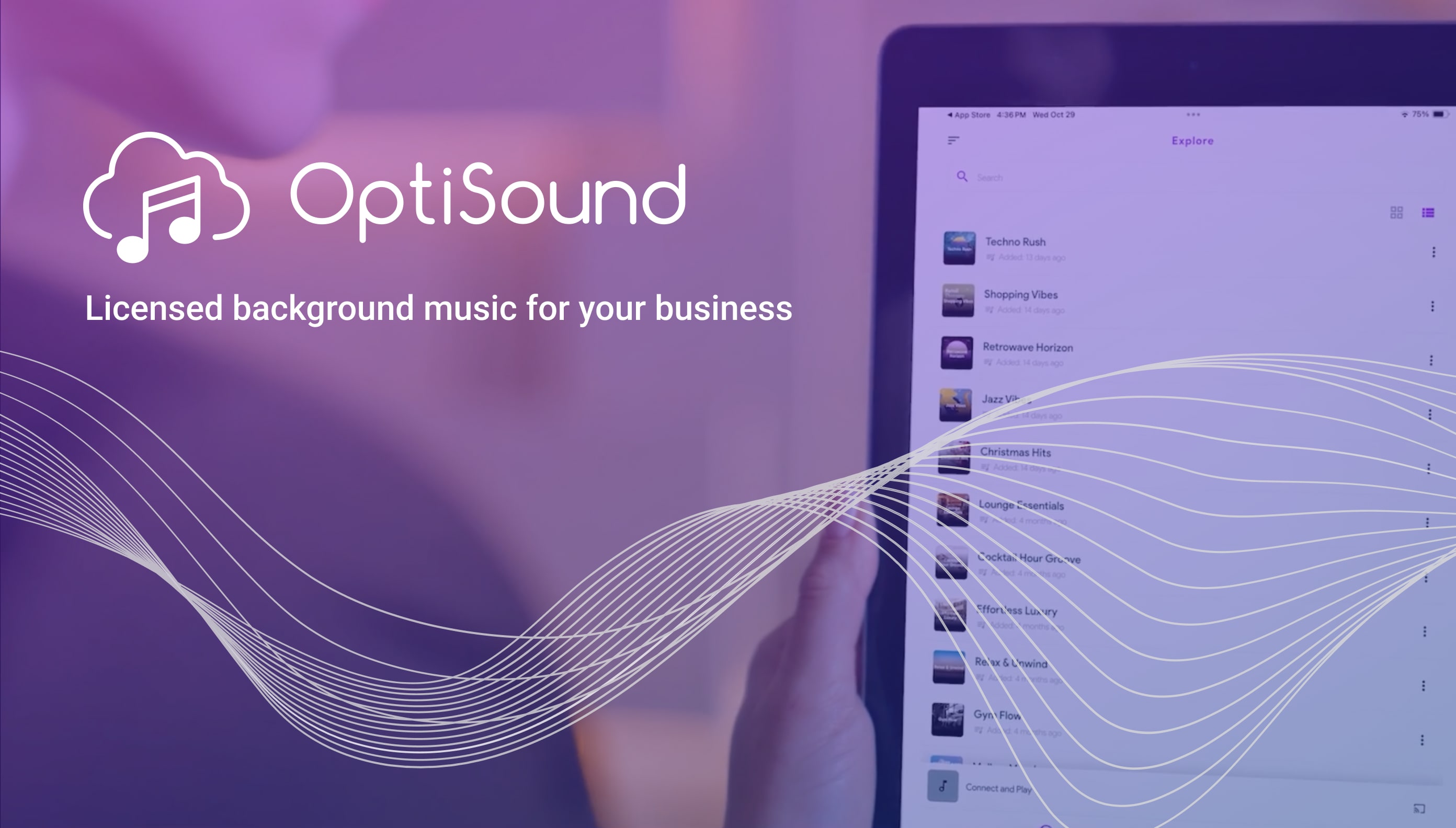
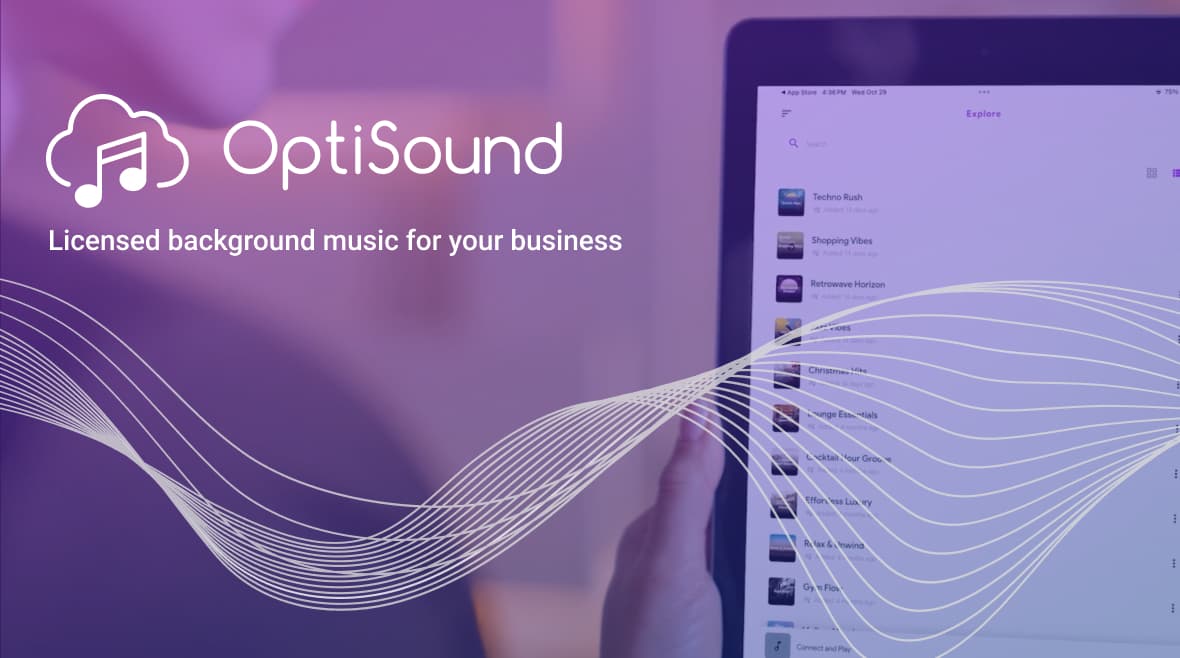
Play Music in Your Business. Manage It From Anywhere.
Play Music in Your Business. Manage It From Anywhere.
Preview 10,000+ licensed, ad-free songs instantly in your browser. When you’re ready, use the OptiSound Player App to play music in your venue and the Web Portal to manage stations, schedules, and playback from one place.
Preview 10,000+ licensed, ad-free songs instantly in your browser. When you’re ready, use the OptiSound Player App to play music in your venue and the Web Portal to manage stations, schedules, and playback from one place.
Get started in 3 Simple Steps
Set up your business music in minutes.
Create Account
Register

Select Playlist
Select



OptiSound
+ Add Locations
Locations
City Center Store
4 /4 paired
, Texas, US
Manage
Manage
Manage
Manage
Manage
Location Setup
Devices Setup
Soundtrack Playlist
Schedule
Manage Playlist
Select
Playlist
Schedule
Connect Device
Connect
my Devices
Speaker (Hall)
Not Connected
Speaker (Fitness Room)
Not Connected
Create your account
Sign up in seconds to start your 14-day free trial now.
No credit card required. Preview the music instantly in your web browser.
Set up a Location & Zone
In the Web Portal, create a Location for your business site and add Zones for each area where you want music to play (e.g lobby, main floor, or patio).
Create Account
Register
Select Playlist
Select
OptiSound
+ Add Locations
Locations
City Center Store
4 /4 paired
, Texas, US
Manage
Manage
Manage
Manage
Manage
Location Setup
Devices Setup
Soundtrack Playlist
Schedule
Manage Playlist
Select
Playlist
Schedule
Connect Device
Connect
my Devices
Speaker (Hall)
Not Connected
Speaker (Fitness Room)
Not Connected
Create your account
Sign up in seconds to start your 14-day free trial now.
No credit card required. Preview the music instantly in your web browser.
Set up a Location & Zone
In the Web Portal, create a Location for your business site and add Zones for each area where you want music to play (e.g lobby, main floor, or patio).
Create Account
Register
Select Playlist
Select
OptiSound
+ Add Locations
Locations
City Center Store
4 /4 paired
, Texas, US
Manage
Manage
Manage
Manage
Manage
Location Setup
Devices Setup
Soundtrack Playlist
Schedule
Manage Playlist
Select
Playlist
Schedule
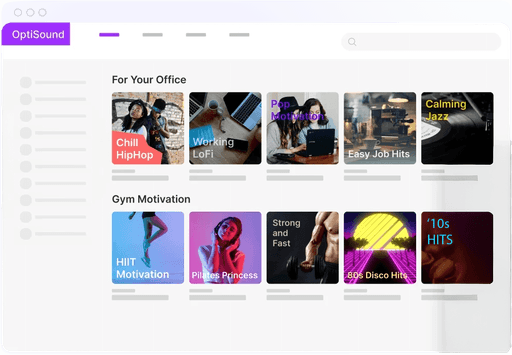
Playlist Scheduled
Weekdays 8am - 5pm
" width="32.39127005982752px"><path d="M 6.533 26.76 C 5.903 25.95 5.116 24.307 3.743 22.26 C 2.956 21.135 1.021 18.997 0.436 17.895 C 0.014 17.225 -0.108 16.409 0.098 15.645 C 0.451 14.192 1.83 13.228 3.316 13.395 C 4.465 13.626 5.521 14.189 6.353 15.015 C 6.934 15.562 7.468 16.156 7.951 16.792 C 8.311 17.242 8.401 17.422 8.806 17.94 C 9.211 18.457 9.481 18.975 9.278 18.21 C 9.121 17.085 8.851 15.195 8.468 13.507 C 8.176 12.225 8.108 12.022 7.838 11.055 C 7.568 10.087 7.411 9.277 7.118 8.175 C 6.851 7.091 6.641 5.995 6.488 4.89 C 6.205 3.476 6.411 2.008 7.073 0.727 C 7.859 -0.012 9.013 -0.207 9.998 0.232 C 10.99 0.964 11.729 1.986 12.113 3.157 C 12.703 4.598 13.096 6.112 13.283 7.657 C 13.643 9.907 14.341 13.192 14.363 13.867 C 14.363 13.035 14.206 11.28 14.363 10.492 C 14.519 9.671 15.09 8.99 15.871 8.692 C 16.541 8.487 17.25 8.44 17.941 8.557 C 18.638 8.703 19.256 9.104 19.673 9.682 C 20.195 10.995 20.484 12.388 20.528 13.8 C 20.588 12.564 20.8 11.339 21.158 10.155 C 21.534 9.625 22.083 9.243 22.711 9.075 C 23.455 8.939 24.217 8.939 24.961 9.075 C 25.571 9.279 26.104 9.663 26.491 10.177 C 26.967 11.37 27.256 12.63 27.346 13.912 C 27.346 14.227 27.503 13.035 27.998 12.247 C 28.255 11.484 28.901 10.915 29.691 10.756 C 30.48 10.597 31.295 10.871 31.828 11.476 C 32.361 12.081 32.53 12.924 32.273 13.687 C 32.273 15.15 32.273 15.082 32.273 16.072 C 32.273 17.062 32.273 17.94 32.273 18.772 C 32.191 20.089 32.011 21.398 31.733 22.687 C 31.342 23.828 30.797 24.911 30.113 25.905 C 29.021 27.12 28.118 28.493 27.436 29.977 C 27.266 30.715 27.191 31.471 27.211 32.227 C 27.208 32.926 27.299 33.622 27.481 34.297 C 26.561 34.394 25.633 34.394 24.713 34.297 C 23.836 34.162 22.756 32.407 22.463 31.867 C 22.319 31.577 22.022 31.394 21.698 31.394 C 21.374 31.394 21.078 31.577 20.933 31.867 C 20.438 32.722 19.336 34.275 18.571 34.365 C 17.063 34.545 13.958 34.365 11.506 34.365 C 11.506 34.365 11.911 32.115 10.988 31.305 C 10.066 30.495 9.121 29.55 8.423 28.92 Z" fill="rgb(255, 255, 255)" height="34.444751400883426px" id="e3QmdTpL0" width="32.39127005982752px"/><path d="M 6.533 26.76 C 5.903 25.95 5.116 24.307 3.743 22.26 C 2.956 21.135 1.021 18.997 0.436 17.895 C 0.014 17.225 -0.108 16.409 0.098 15.645 C 0.451 14.192 1.83 13.228 3.316 13.395 C 4.465 13.626 5.521 14.189 6.353 15.015 C 6.934 15.562 7.468 16.156 7.951 16.792 C 8.311 17.242 8.401 17.422 8.806 17.94 C 9.211 18.457 9.481 18.975 9.278 18.21 C 9.121 17.085 8.851 15.195 8.468 13.507 C 8.176 12.225 8.108 12.022 7.838 11.055 C 7.568 10.087 7.411 9.277 7.118 8.175 C 6.851 7.091 6.641 5.995 6.488 4.89 C 6.205 3.476 6.411 2.008 7.073 0.727 C 7.859 -0.012 9.013 -0.207 9.998 0.232 C 10.99 0.964 11.729 1.986 12.113 3.157 C 12.703 4.598 13.096 6.112 13.283 7.657 C 13.643 9.907 14.341 13.192 14.363 13.867 C 14.363 13.035 14.206 11.28 14.363 10.492 C 14.519 9.671 15.09 8.99 15.871 8.692 C 16.541 8.487 17.25 8.44 17.941 8.557 C 18.638 8.703 19.256 9.104 19.673 9.682 C 20.195 10.995 20.484 12.388 20.528 13.8 C 20.588 12.564 20.8 11.339 21.158 10.155 C 21.534 9.625 22.083 9.243 22.711 9.075 C 23.455 8.939 24.217 8.939 24.961 9.075 C 25.571 9.279 26.104 9.663 26.491 10.177 C 26.967 11.37 27.256 12.63 27.346 13.912 C 27.346 14.227 27.503 13.035 27.998 12.247 C 28.255 11.484 28.901 10.915 29.691 10.756 C 30.48 10.597 31.295 10.871 31.828 11.476 C 32.361 12.081 32.53 12.924 32.273 13.687 C 32.273 15.15 32.273 15.082 32.273 16.072 C 32.273 17.062 32.273 17.94 32.273 18.772 C 32.191 20.089 32.011 21.398 31.733 22.687 C 31.342 23.828 30.797 24.911 30.113 25.905 C 29.021 27.12 28.118 28.493 27.436 29.977 C 27.266 30.715 27.191 31.471 27.211 32.227 C 27.208 32.926 27.299 33.622 27.481 34.297 C 26.561 34.394 25.633 34.394 24.713 34.297 C 23.836 34.162 22.756 32.407 22.463 31.867 C 22.319 31.577 22.022 31.394 21.698 31.394 C 21.374 31.394 21.078 31.577 20.933 31.867 C 20.438 32.722 19.336 34.275 18.571 34.365 C 17.063 34.545 13.958 34.365 11.506 34.365 C 11.506 34.365 11.911 32.115 10.988 31.305 C 10.066 30.495 9.121 29.55 8.423 28.92 Z" fill="transparent" height="34.444751400883426px" id="dTLcUojXO" stroke-dasharray="" stroke-linecap="round" stroke-linejoin="round" stroke-width="1.6875" stroke="rgb(0, 0, 0)" width="32.39127005982752px"/><path d="M 1.688 8.608 L 1.688 0.842 C 1.688 0.377 1.31 0 0.844 0 C 0.378 0 0 0.377 0 0.842 L 0 8.608 C 0 9.073 0.378 9.45 0.844 9.45 C 1.31 9.45 1.688 9.073 1.688 8.608 Z" fill="rgb(0, 0, 0)" height="9.450000000000003px" id="TUop7safO" transform="translate(23.926 19.38)" width="1.6875px"/><path d="M 1.732 8.605 L 1.687 0.835 C 1.685 0.371 1.305 -0.003 0.839 0 C 0.373 0.003 -0.003 0.381 0 0.845 L 0.045 8.615 C 0.048 9.079 0.428 9.453 0.894 9.45 C 1.36 9.447 1.735 9.069 1.732 8.605 Z" fill="rgb(0, 0, 0)" height="9.449929070294537px" id="DambBw5iZ" transform="translate(19.426 19.38)" width="1.7324289318606247px"/><path d="M 0 0.853 L 0.045 8.607 C 0.048 9.075 0.428 9.453 0.894 9.45 C 1.36 9.447 1.735 9.065 1.733 8.597 L 1.688 0.843 C 1.685 0.375 1.305 -0.003 0.839 0 C 0.373 0.003 -0.003 0.385 0 0.853 Z" fill="rgb(0, 0, 0)" height="9.449930960048391px" id="JeBnYVOjk" transform="translate(14.926 19.38)" width="1.7325289356788218px"/></g></svg>)
Connect Device
Connect
my Devices
Speaker (Hall)
Not Connected
Speaker (Fitness Room)
Not Connected
Create your account
Sign up in seconds to start your 14-day free trial now.
No credit card required. Preview the music instantly in your web browser.
Set up a Location & Zone
In the Web Portal, create a Location for your business site and add Zones for each area where you want music to play (e.g lobby, main floor, or patio).
Play Music with the App. Manage It in the Portal.
| Feature |  Web Portal Web Portal |  Player App Player App |
|---|---|---|
| Access | Browser (any device) | iOS/Android |
| Primary Purpose | Create Locations & Zones, manage, configure & preview music | Play music in your business venue |
| Offline Playback | Not Supported | Supported |
| Audio Output | Computer / device speakers (preview only) | Connected speakers |
| Best For | Setup, testing & management | Live music in your venue |
| Feature | Web Portal | Player App |
|---|---|---|
| Access | Browser (any device) | iOS/Android |
| Primary Purpose | Create Locations & Zones, manage, configure & preview music | Play music in your business venue |
| Offline Playback | Not Supported | Supported |
| Audio Output | Computer / device speakers (preview only) | Connected speakers |
| Best For | Setup, testing & management | Live music in your venue |
| Feature | Web Portal | Player App |
|---|---|---|
| Access | Browser (any device) | iOS/Android |
| Primary Purpose | Create Locations & Zones, manage, configure & preview music | Play music in your business venue |
| Offline Playback | Not Supported | Supported |
| Audio Output | Computer / device speakers (preview only) | Connected speakers |
| Best For | Setup, testing & management | Live music in your venue |
Music Control, Anywhere
Manage your business music from one easy-to-use Web Portal. No new hardware needed — just install the OptiSound Player App on any iOS or Android device.

Start and stop music anytime
Change playlists based on time of day or mood
Manage multiple locations from one account
Set schedules so your music runs automatically and seamlessly
Designed for Commercial Use
OptiSound is designed specifically for commercial environments, with licensing and reliability built for business use.
Commercially licensed playlists
Continuous, reliable streaming
Regularly updated music selections
Frequently asked questions?
Helping you understand how OptiSound delivers reliability, compliance, and smarter playlist automation.
Frequently asked questions?
Helping you understand how OptiSound delivers reliability, compliance, and smarter playlist automation.
Frequently asked questions?
Helping you understand how OptiSound delivers reliability, compliance, and smarter playlist automation.
Frequently asked questions?
Helping you understand how OptiSound delivers reliability, compliance, and smarter playlist automation.

Ready to get started with OptiSound?
Start streaming in just a few minutes!
With OptiSound, your business sounds better.
Join Our Newsletter
Pricing



© Copyright OptiSound. All rights reserved.

With OptiSound, your business sounds better.
Join Our Newsletter
Pricing
© Copyright OptiSound. All rights reserved.
With OptiSound, your business sounds better.
Join Our Newsletter
Pricing
© Copyright OptiSound. All rights reserved.
With OptiSound, your business sounds better.
Join Our Newsletter
Pricing
© Copyright OptiSound. All rights reserved.